← Back to all playbooks
Natalia
NATALIA QUINTERO & NITYESH AGARWAL: AI consulting workflows
Start: 02:00:01
TL;DR
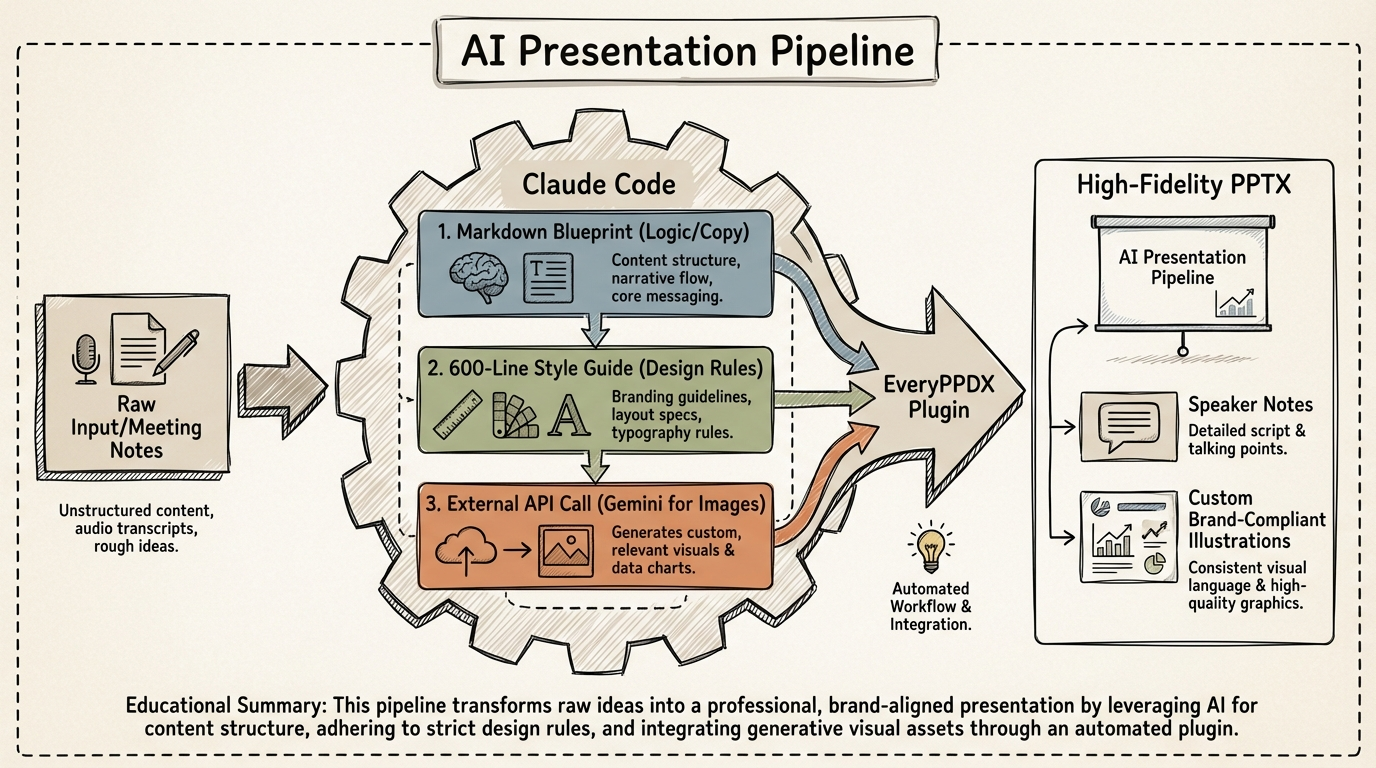
Automate high-fidelity, brand-compliant slide production by forking Claude Code plugins to ingest 600-line style guides and orchestrate multi-modal API calls for custom assets.
Key Insights
Style Guide Injection for Brand Consistency
02:08:09Bypass generic AI slide layouts by feeding a 600-line visual style document into a custom Claude Code 'skill' (plugin), forcing the LLM to adhere to specific font placements, color palettes, and design logic.
Multi-Modal API Orchestration via Claude Code
02:07:26Integrate secondary API keys (e.g., Gemini) directly within the Claude Code environment to generate custom illustrations on-the-fly during the slide construction process.
Separation of Content Blueprint and Visual Direction
02:06:01Use a two-stage generation process: first, generate a Markdown 'blueprint' for logic and speaker notes; second, apply a 'visual direction' command to map that logic to design templates.
Systems
The EveryPPDX Presentation Workflow
- Input raw meeting notes or disorganized ideas into Claude Code.
- Execute the 'generate blueprint' command to create a Markdown file containing slide-by-slide descriptions and speaker notes.
- Review and edit the Markdown blueprint to ensure logical flow.
- Execute the 'visual direction' command to apply the 600-line brand style guide.
- Trigger automated image generation via Gemini API for custom slide illustrations.
- Compile the final .pptx file directly from the terminal/desktop app.
Tools: Claude Code, Claude Desktop, Gemini API, EveryPPDX (Custom Plugin), Figma
Tools
Claude CodeClaude DesktopGemini APIFigmaEveryPPDX PluginGamma