Cj
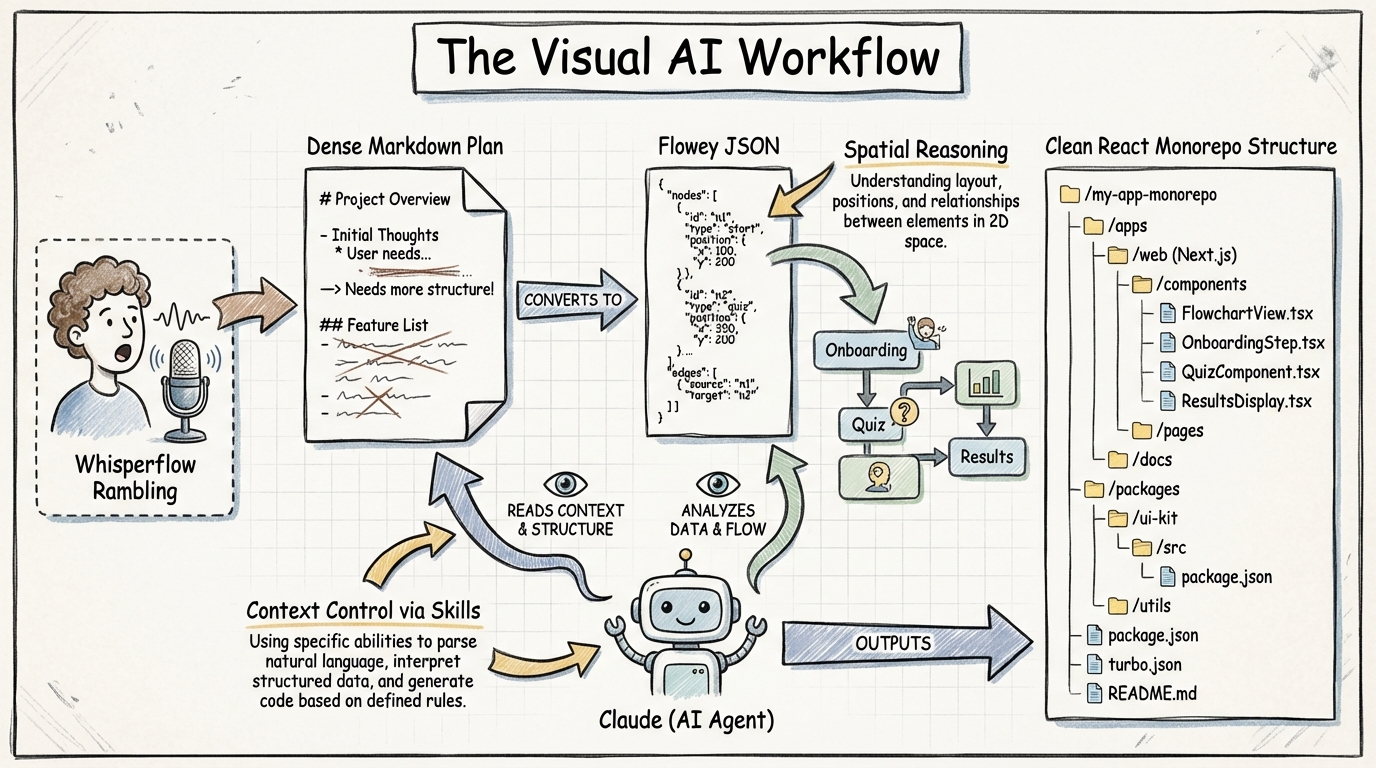
Shift from text-based planning to visual JSON-based diagrams (Flowey) to give LLMs spatial reasoning capabilities for UI/UX and navigation flows.
Key Insights
Monorepo Root Execution for AI Context
04:05:15Run AI agents at the root of a monorepo to eliminate the 'API bottleneck.' This allows the model to see the database, backend, and frontend simultaneously, building full data flows without the user manually explaining API endpoints.
Visual JSON State vs. ASCII Planning
04:13:05Replace ASCII boxes in Markdown with JSON-based flowcharts (Flowey). JSON provides specific IDs, coordinates, and labels that models like Sonnet 3.5 can parse for spatial reasoning, leading to higher-fidelity UI implementation than text alone.
Prompting via 'Rambling' Voice-to-Text
04:17:44Use voice-to-text (Whisperflow/Monologue) for initial project scoping. Rambling provides significantly more edge-case context and detail than typing, which often suffers from 'inherent laziness' and leads to vague AI inferences.
Anti-MCP for Context Management
04:24:01Prefer Skills and CLIs over the Model Context Protocol (MCP) to avoid 'context bloat.' Skills allow for more granular control and specificity, preventing the model from being overwhelmed by unnecessary environment data.
Systems
Visual-First Implementation Loop
- Dictate project requirements via voice-to-text to capture maximum context.
- Generate a structured Markdown plan using an LLM.
- Use the 'Flowey' skill to generate JSON-based flowcharts and UI mockups in the local directory.
- Review/edit the visual JSON diagrams manually or via AI to ensure spatial logic is correct.
- Execute the code generation by referencing the specific JSON diagram IDs and the Markdown plan.
The 'In-Chat' Debugging Protocol
- Capture the specific error message and the exact user action that triggered it.
- Prompt the AI to reference the original Markdown plan and the navigation flowchart JSON.
- Explicitly command the AI to explain the discrepancy 'in the chat' before writing any code.
- Verify the AI's logic against the visual flow before allowing it to apply file diffs.