Logan
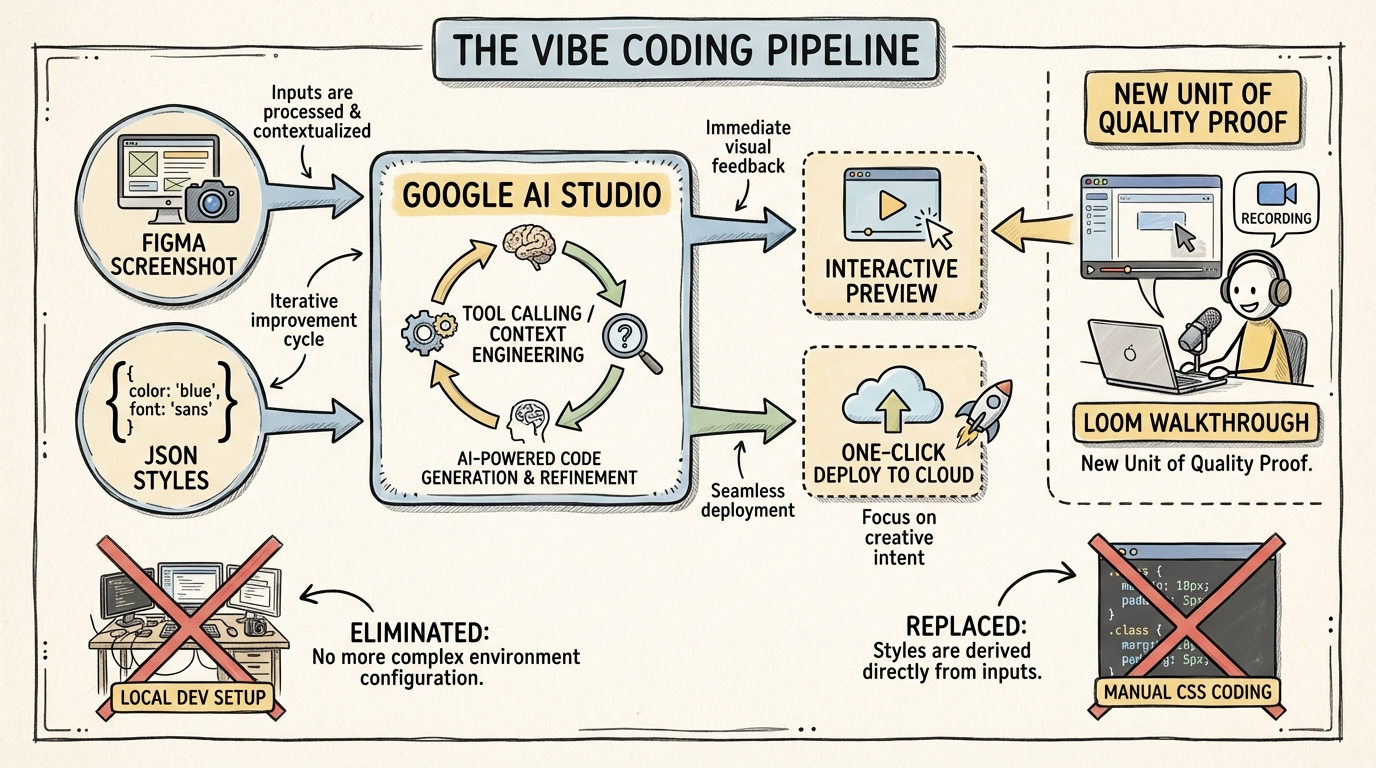
Google AI Studio is evolving from a model playground into a full-stack 'vibe coding' environment that prioritizes high-fidelity UI prototyping from screenshots and one-click deployment over traditional IDE setups.
Key Insights
Figma-to-Functional-UI via JSON Style Injection
04:39:17To achieve design precision, use a Figma plugin to export JSON code for styles and typography, then pass this directly to the model alongside a screenshot to ensure the generated app matches brand specs exactly.
The 'Loom' as the New Code Diff
04:44:28For vibe-coded projects where the builder may not understand the underlying code, a video walkthrough (Loom) of the feature is a more effective unit of proof and quality validation than a traditional code review.
Automated UX Discovery via Walkthrough Prompting
04:44:07When building complex UIs with AI, prompt the model to 'create a walkthrough of the feature' to force it to click through and demonstrate its own interactive logic, revealing hidden UX flaws.
Tool Calling as the Engine of Ambition
04:52:08The transition from 'slop' to ambitious apps is enabled by tool calling, which allows the model to perform 'on-the-fly context engineering'—making micro-decisions like searching docs or editing specific files autonomously.
Systems
High-Fidelity Vibe Prototyping
- Capture a screenshot of a Figma UI component.
- Use a Figma-to-JSON plugin to extract exact CSS/style parameters.
- Paste both into AI Studio's build mode.
- Prompt for an interactive simulation (e.g., 'Make this sidebar functional').
- Iterate in the preview panel until the 'vibe' matches the design.
Actionable Data Visualization
- Upload a raw CSV file directly to the LLM without pre-cleaning.
- Prompt for an 'interactive visualization' to explore the data.
- Layer on generative tools (e.g., 'Add a button to generate a YouTube script based on the top-performing row').
- Deploy as a functional internal tool.