Katie
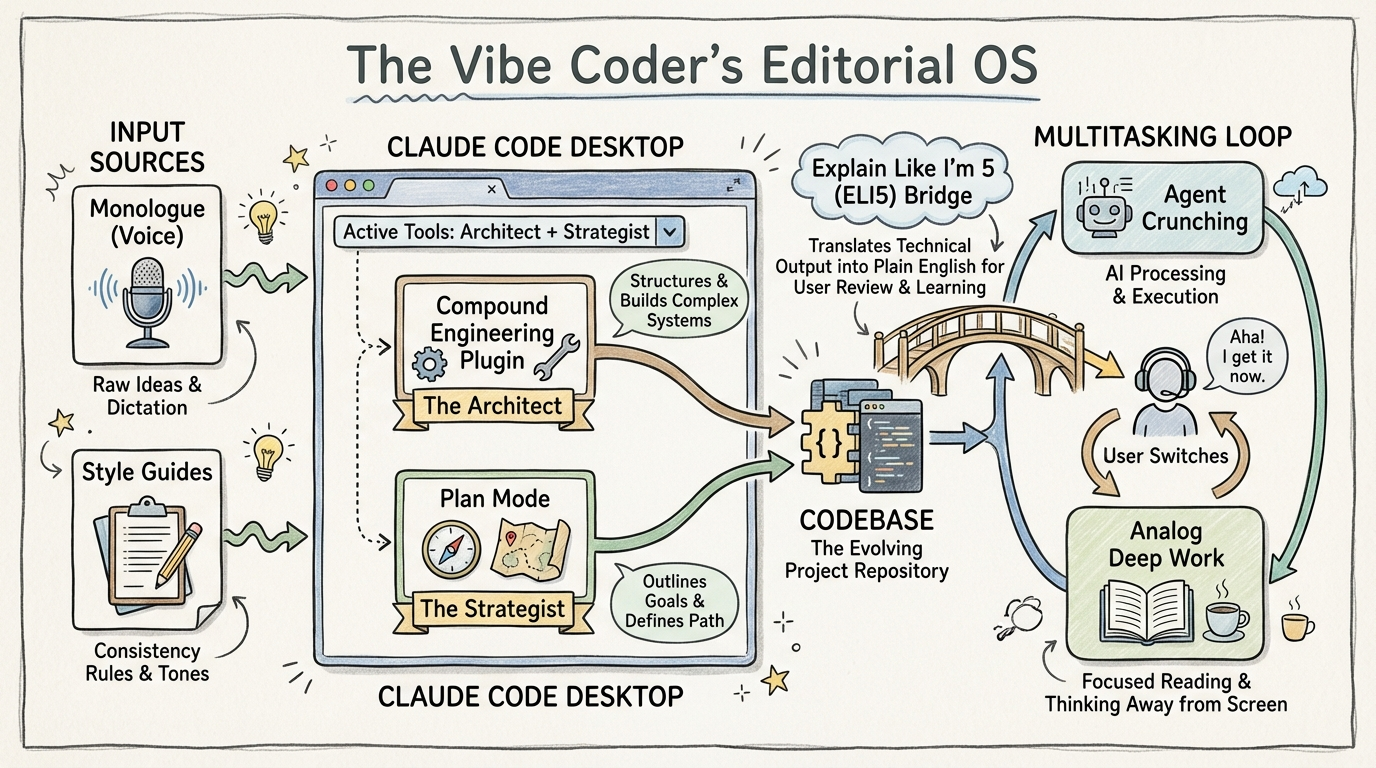
Leverage the Claude Code desktop app and Compound Engineering plugin to bypass terminal-based friction and implement expert-level software architecture through plain-language prompts.
Key Insights
Terminal-Free Agentic Coding Navigation
02:17:57The Claude Code desktop app's GUI (dropdown menus for folder navigation) removes the 'muscle memory' barrier of CLI commands, enabling non-technical users to manage complex file structures without terminal proficiency.
Expert-Level Architecture via Plugins
02:19:08Using the Compound Engineering plugin allows 'vibe coders' to invoke expert software patterns and 'Agent Native Architecture' through plain language, effectively outsourcing structural decision-making to specialized sub-agents.
Strategic Research Tool Selection
02:21:41Despite using Claude for coding, ChatGPT Pro remains the preferred tool for research tasks because it surfaces active, valid links with a lower hallucination rate for external citations.
Maintenance-First Workflow Strategy
02:25:38For editorial operations, using Claude Projects with custom instructions is often superior to building custom apps because it offloads the maintenance burden to Anthropic while providing comparable functionality.
Systems
Automated Codebase Audit & Refactor
- Open the Claude Code desktop app and select the project directory via the dropdown menu.
- Use Monologue (voice-to-text) or text to prompt the agent to review the codebase using the Compound Engineering plugin.
- Request an audit of code structure and functionality improvements.
- Ask the agent to 'explain changes like I'm five' to bridge the technical knowledge gap.
- Invoke 'Plan Mode' to create a step-by-step implementation strategy based on the audit.
AI-Powered Multitasking Loop
- Initialize long-running agentic tasks (e.g., codebase audits or deep research).
- Switch to high-context human tasks (e.g., drafting or analog reading) while the agent 'crunches' in the background.
- Return to the agent output to review 'key findings' and headlines rather than raw logs.
- Iterate on the next prompt based on the summary.